
How to Switch Between Stocktwits and Cryptotwits
Stocktwits gives you access to both stock and crypto conversations on a single platform. Mode Switching lets you toggle between Stocktwits and Cryptotwits seaml
Features
- Claim Your Token: Verification for Crypto Projects on Stocktwits
- Advanced Search
- Private Market Symbol Pages
- Feed: Trending
- Sentiment Index
- Sentiment
- Accepted Video Formats on Stocktwits
- Most Active
- How to Switch Between Stocktwits and Cryptotwits
- Earnings Reminders — Help & FAQ
- Stream Topics
- My Posts
- Embed Stocktwits Widgets - Live Market Data for Your Site or App
- Feed: Following
- Web Notifications
- Most Bullish and Most Bearish Lists
- Using Your Watchlist on Stocktwits
- Feed: Watchlist
- Earnings
- CME Futures Data on Stocktwits
- Subscribe to Notifications
- Why It’s Trending
- Most New Watchers
- Filters (Watchlist + Trending)
- Stream Filters
- News
- Managing Your Profile on Stocktwits
- How to create and use polls on Stocktwits
- Feed: Suggested
- AI Earnings Summary
- Trending Bar
Stocktwits gives you access to both stock and crypto conversations on a single platform. Mode Switching lets you toggle between Stocktwits and Cryptotwits seamlessly, so you can focus on the market that matters to you without logging out or switching apps.
What is Mode Switching?
The platform operates in two modes:
Stocktwits — for equities, ETFs, and macro discussions
Cryptotwits — for crypto-specific tickers, tokens, and sentiment
Each mode filters content, watchlists, and trending tickers to match your selected market.
How to Use Mode Switching
On Desktop:
Tap the Stocktwits logo in the top-left corner of the screen
A dropdown will appear
Choose “Stocktwits” or “Cryptotwits”
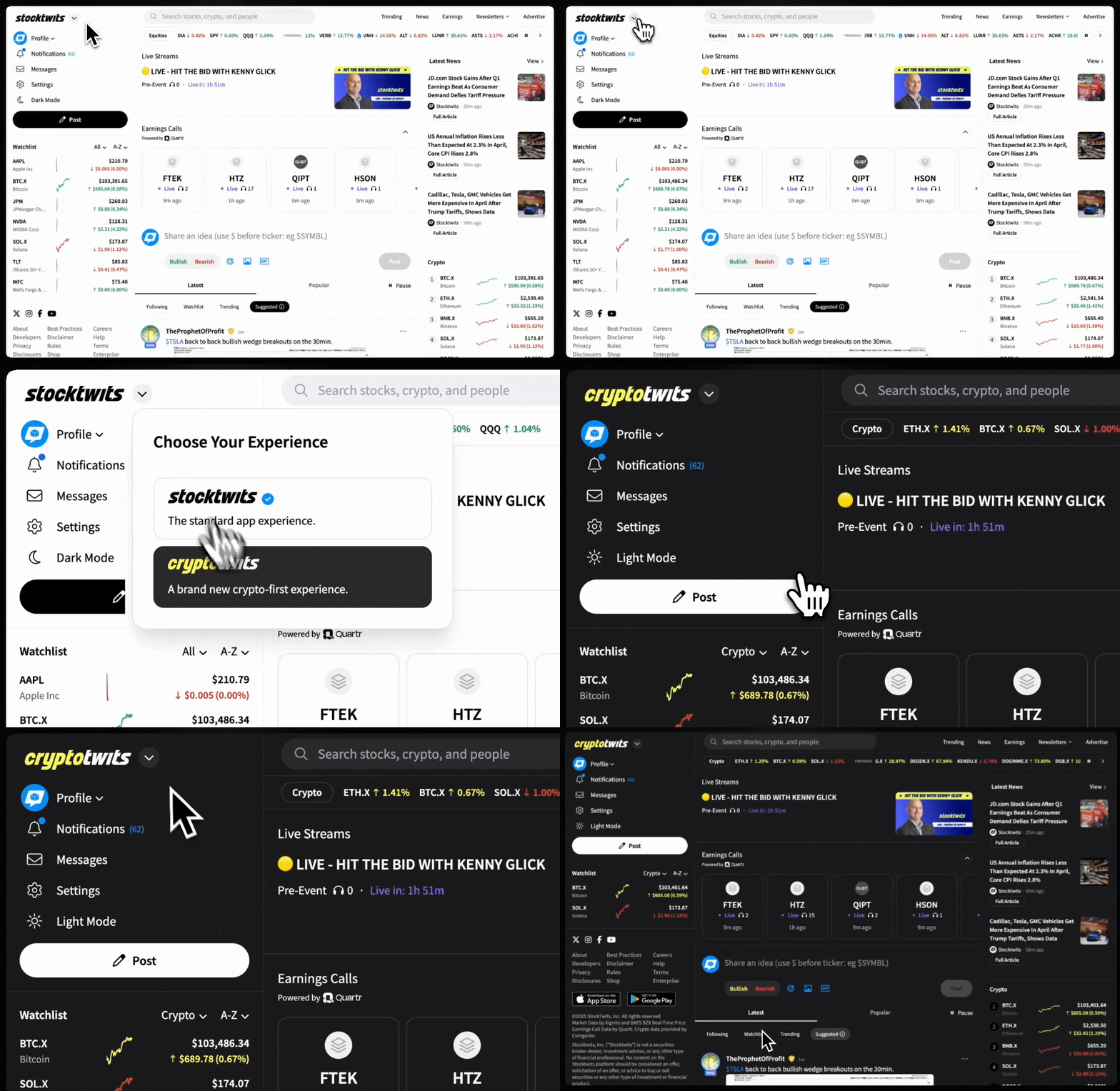
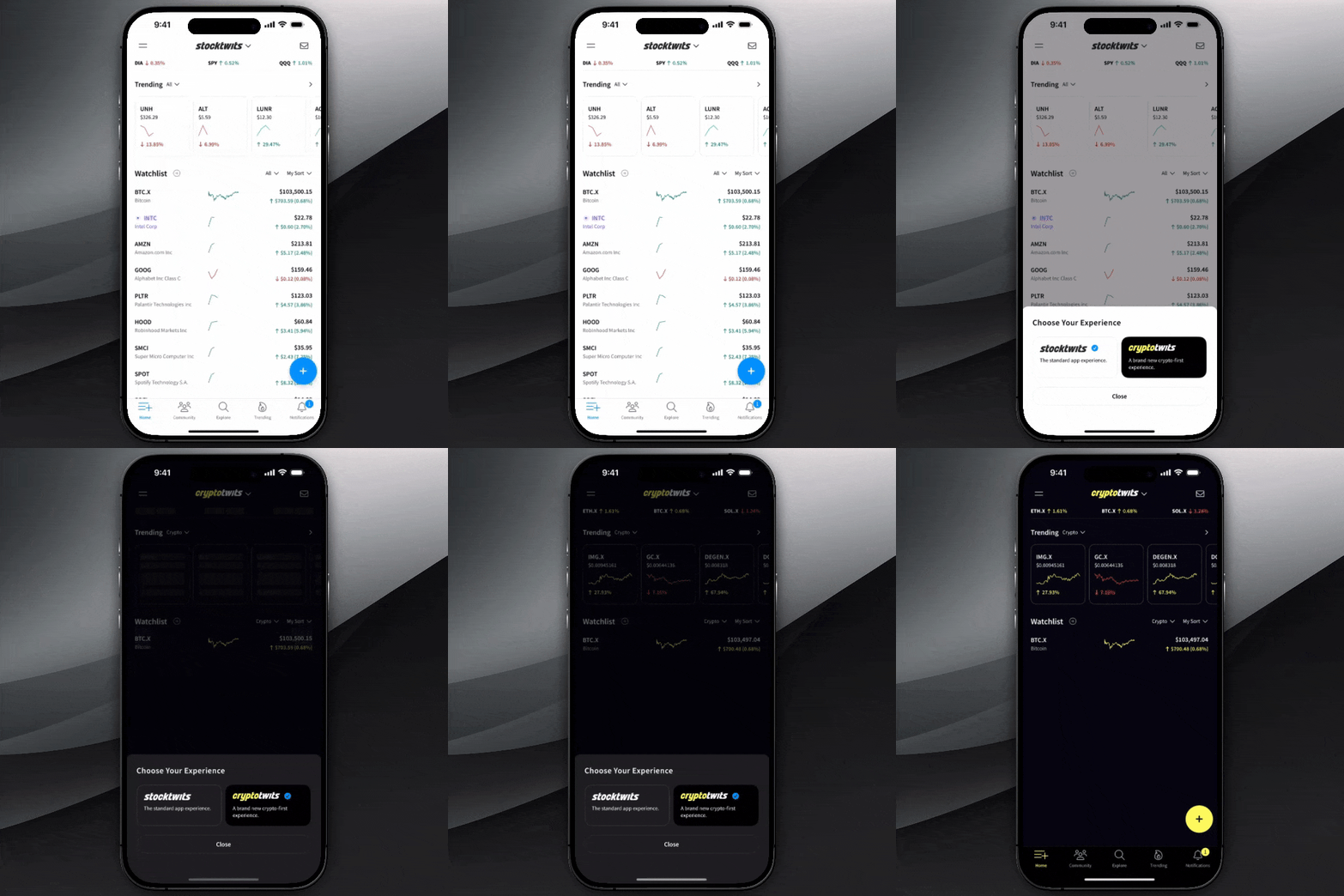
On Mobile (iOS & Android):
Tap the dropdown arrow next to the Stocktwits logo on the homepage
Select “Stocktwits” or “Cryptotwits”
Your selected mode will update instantly across feeds, watchlists, and the Trending Bar.
Why It Helps
Cuts through irrelevant content, see only the market you’re trading in
Keeps your watchlist and sentiment signals clean and focused
Enables fast switching without needing to log out or reload
Tip: You can switch modes at any time. Stocktwits remembers your last selection when you return.