Embed Stocktwits Widgets - Live Market Data for Your Site or App
Introduction The new Stocktwits Widgets let creators, fintech platforms, brokerages, and websites embed real-time market data directly into their own properties
Features
- Feed: Trending
- Sentiment Index
- Sentiment
- Accepted Video Formats on Stocktwits
- Most Active
- How to Switch Between Stocktwits and Cryptotwits
- Earnings Reminders — Help & FAQ
- Stream Topics
- My Posts
- Embed Stocktwits Widgets - Live Market Data for Your Site or App
- Private Market Symbol Pages
- Feed: Following
- Web Notifications
- Most Bullish and Most Bearish Lists
- Using Your Watchlist on Stocktwits
- Feed: Watchlist
- Earnings
- CME Futures Data on Stocktwits
- Subscribe to Notifications
- Why It’s Trending
- Most New Watchers
- Filters (Watchlist + Trending)
- Claim Your Token: Verification for Crypto Projects on Stocktwits
- Stream Filters
- News
- Managing Your Profile on Stocktwits
- How to create and use polls on Stocktwits
- Feed: Suggested
- Advanced Search
- AI Earnings Summary
- Trending Bar
Introduction
The new Stocktwits Widgets let creators, fintech platforms, brokerages, and websites embed real-time market data directly into their own properties with a single line of code.
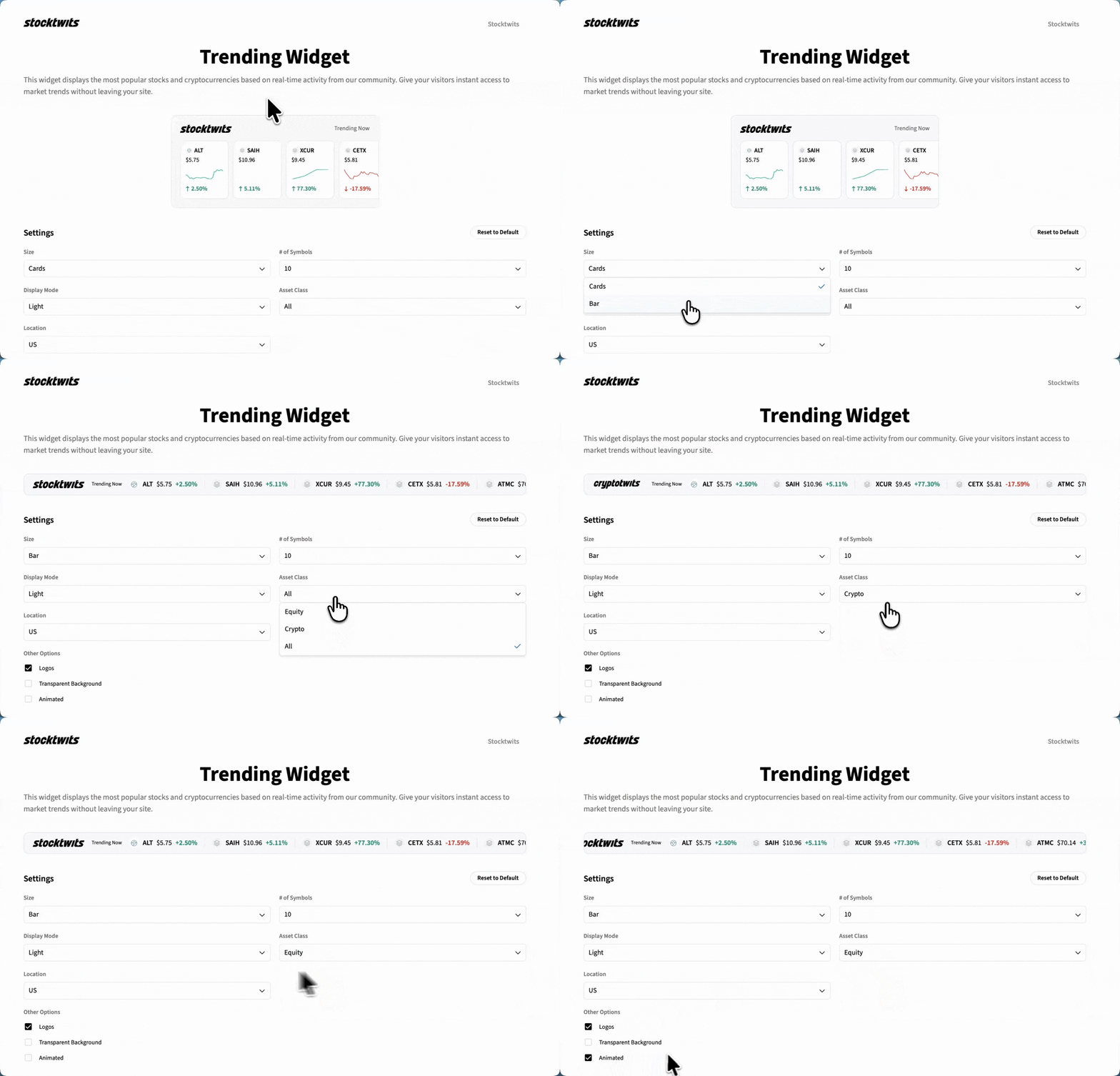
Our first release includes the Trending Stocks Widget, one of the most popular sections on Stocktwits.
What the Widget Offers
Real-time data for trending stocks (first release)
Lightweight, fast, and easy to embed
Ideal for blogs, newsletters, dashboards, landing pages, and apps
Free to use
Designed for creators, publishers, and B2B platforms
Clear documentation with examples to help you start quickly
More widget types are coming soon.
How to Get Started
Visit the widget page: https://stocktwits.com/widgets
Select the Trending Stocks widget (or future widget types as they roll out).
Copy the provided embed code.
Paste the code into your website, app, or newsletter where you want the widget to appear.
Customize size, colors, and styling as needed (see documentation).
Confirm the widget renders correctly, then publish.
Best Practices
Place the widget where users expect market updates (blog headers, dashboards, sidebars).
Match the widget’s styling to your site (colors, fonts, spacing) for seamless integration.
Use prompts around the widget (“Track live trends”, “View today’s market movers”).
Monitor traffic from your embedded widget to understand engagement.
Pair the widget with related content or calls to action for better performance.
Troubleshooting
Widget not loading or showing blank
Ensure you copied the full embed code.
Check that your site supports third-party scripts.
Confirm there are no blocking extensions or script restrictions.
Styling looks incorrect
Verify component container width/height.
Check for CSS overrides on your page.
Data appears delayed
Refresh the page to clear caching layers.
Verify your network is not limiting script load times.
Frequently Asked Questions
Q: Is the widget free to use?
Yes. All Stocktwits widgets are free to embed.
Q: Can I customize colors or size?
Yes. Documentation includes size and style parameters you can modify.
Q: When will the Symbol Info Widget launch?
It’s currently in development and will roll out soon.