
Features
News
Stocktwits News brings you the latest stories for any stock or coin directly inside the platform. How to Access News On Desktop: Go to the dedicated News page:
Updated 1 min read
Features
- Claim Your Token: Verification for Crypto Projects on Stocktwits
- Advanced Search
- Private Market Symbol Pages
- Feed: Trending
- Sentiment Index
- Sentiment
- Accepted Video Formats on Stocktwits
- Most Active
- How to Switch Between Stocktwits and Cryptotwits
- Earnings Reminders — Help & FAQ
- Stream Topics
- My Posts
- Embed Stocktwits Widgets - Live Market Data for Your Site or App
- Feed: Following
- Web Notifications
- Most Bullish and Most Bearish Lists
- Using Your Watchlist on Stocktwits
- Feed: Watchlist
- Earnings
- CME Futures Data on Stocktwits
- Subscribe to Notifications
- Why It’s Trending
- Most New Watchers
- Filters (Watchlist + Trending)
- Stream Filters
- News
- Managing Your Profile on Stocktwits
- How to create and use polls on Stocktwits
- Feed: Suggested
- AI Earnings Summary
- Trending Bar
On this page
Stocktwits News brings you the latest stories for any stock or coin directly inside the platform.
How to Access News
On Desktop:
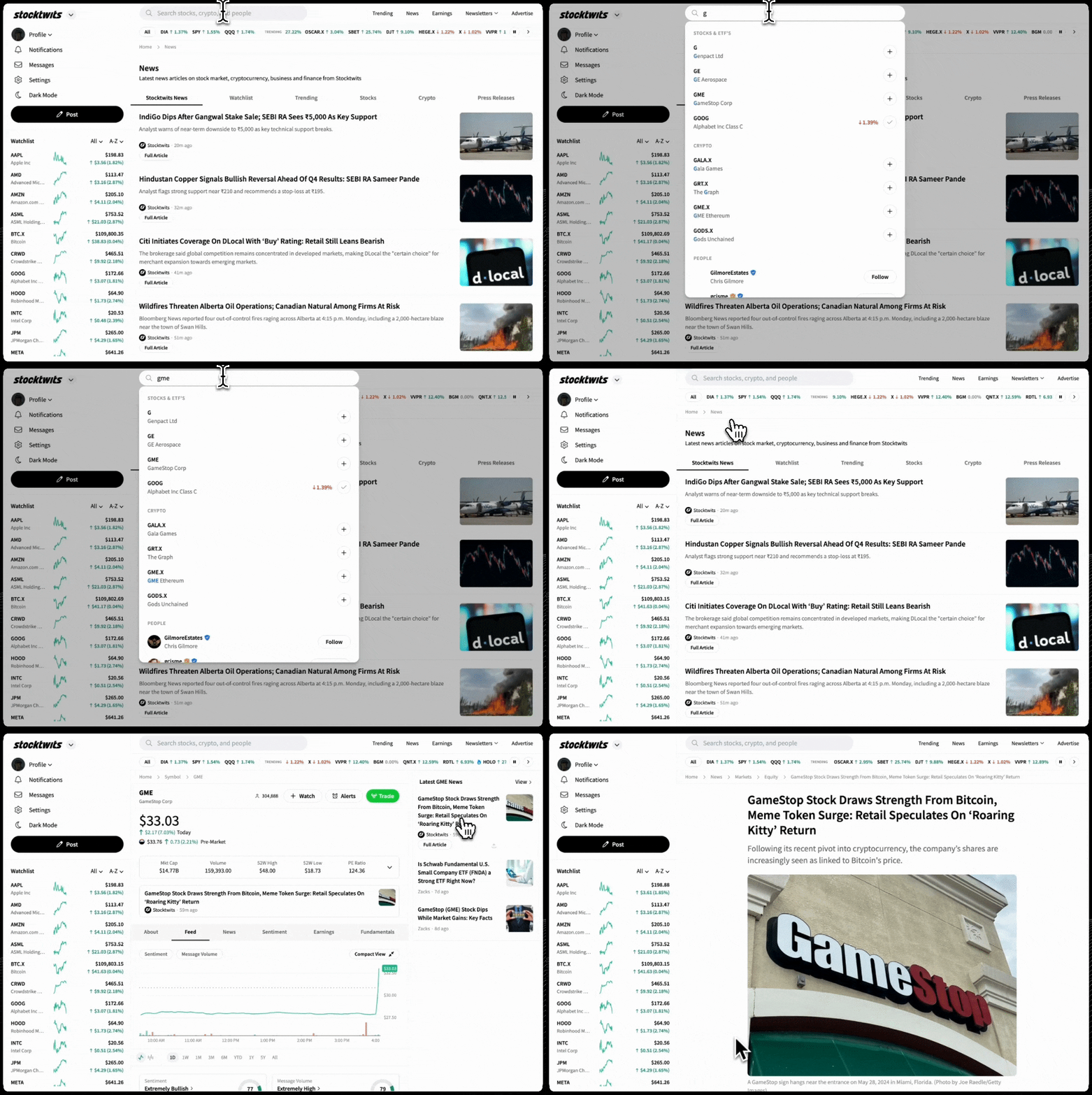
Go to the dedicated News page: https://stocktwits.com/news-articles
On Mobile:
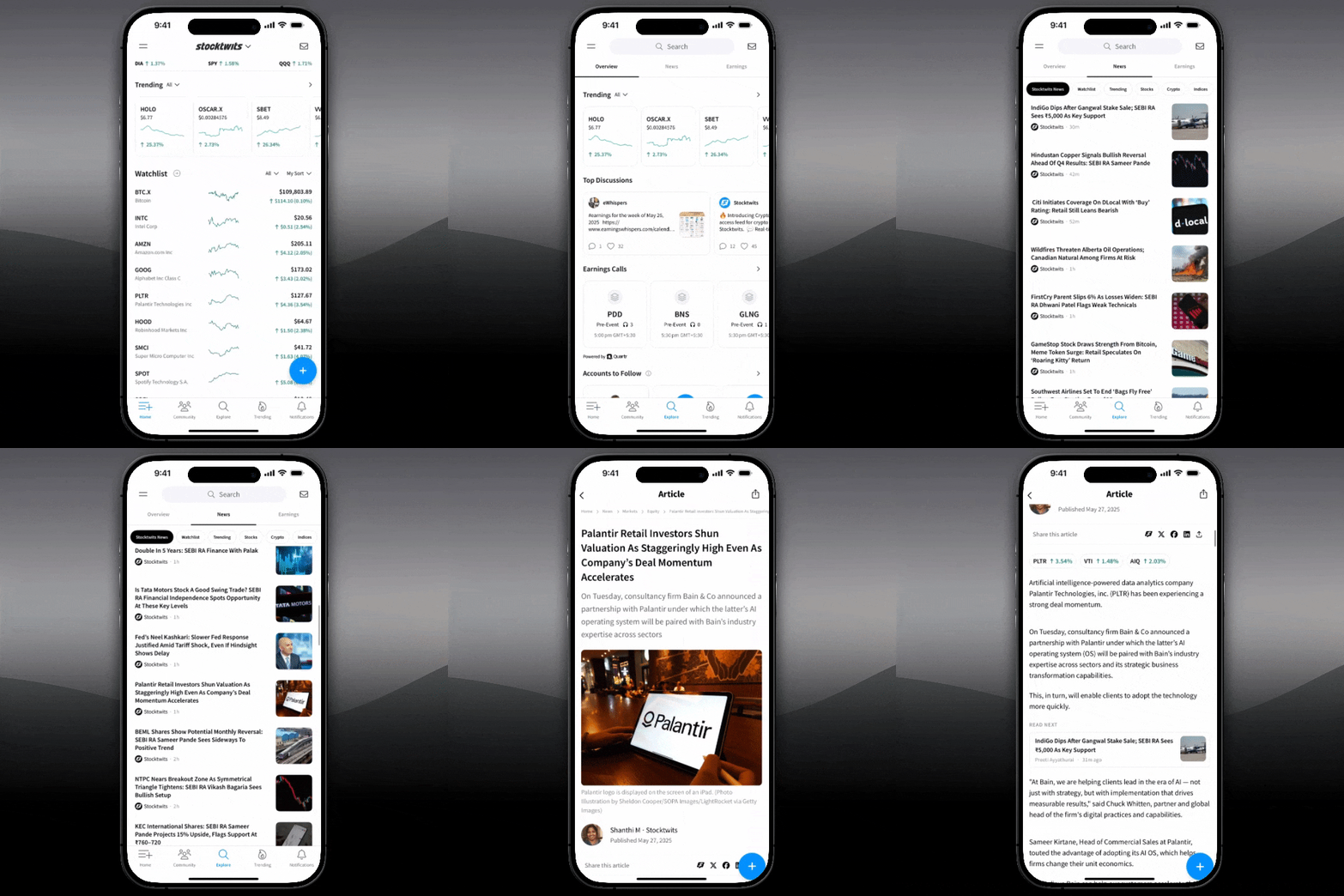
Tap Explore → News (below the search bar)
Or go to any ticker page → tap News tab
Why It Matters
See breaking news without leaving Stocktwits
Stay informed on the context behind market moves
Follow both ticker-level and market-wide updates
Access News on Desktop
Access News on Apps

Was this helpful?