Stream Topics
What are Stream Topics? Stream Topics highlight the main discussion themes traders are talking about in active streams. They help you quickly understand what th
Features
- Claim Your Token: Verification for Crypto Projects on Stocktwits
- Advanced Search
- Private Market Symbol Pages
- Feed: Trending
- Sentiment Index
- Sentiment
- Accepted Video Formats on Stocktwits
- Most Active
- How to Switch Between Stocktwits and Cryptotwits
- Earnings Reminders — Help & FAQ
- Stream Topics
- My Posts
- Embed Stocktwits Widgets - Live Market Data for Your Site or App
- Feed: Following
- Web Notifications
- Most Bullish and Most Bearish Lists
- Using Your Watchlist on Stocktwits
- Feed: Watchlist
- Earnings
- CME Futures Data on Stocktwits
- Subscribe to Notifications
- Why It’s Trending
- Most New Watchers
- Filters (Watchlist + Trending)
- Stream Filters
- News
- Managing Your Profile on Stocktwits
- How to create and use polls on Stocktwits
- Feed: Suggested
- AI Earnings Summary
- Trending Bar
On this page
What are Stream Topics?
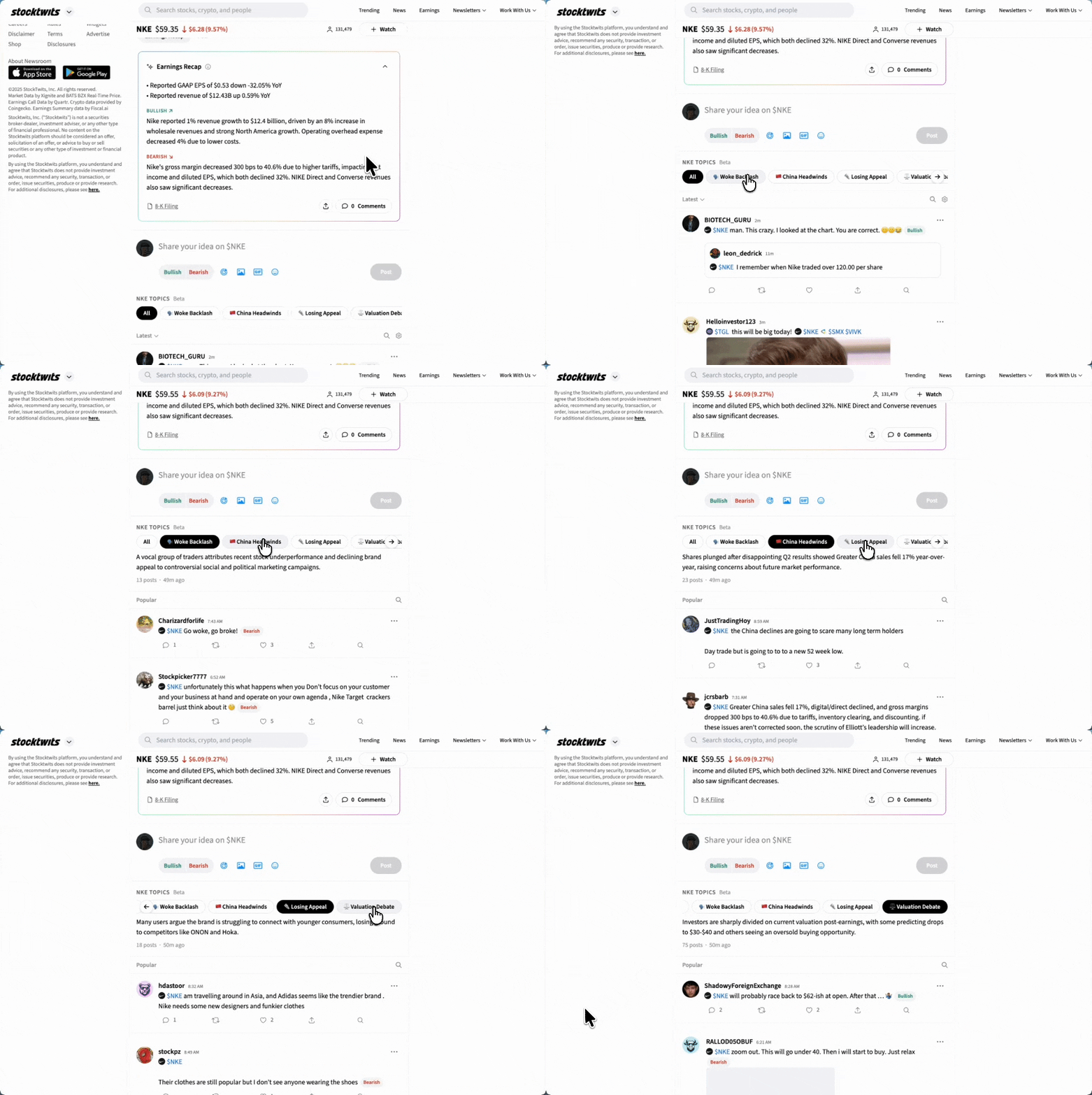
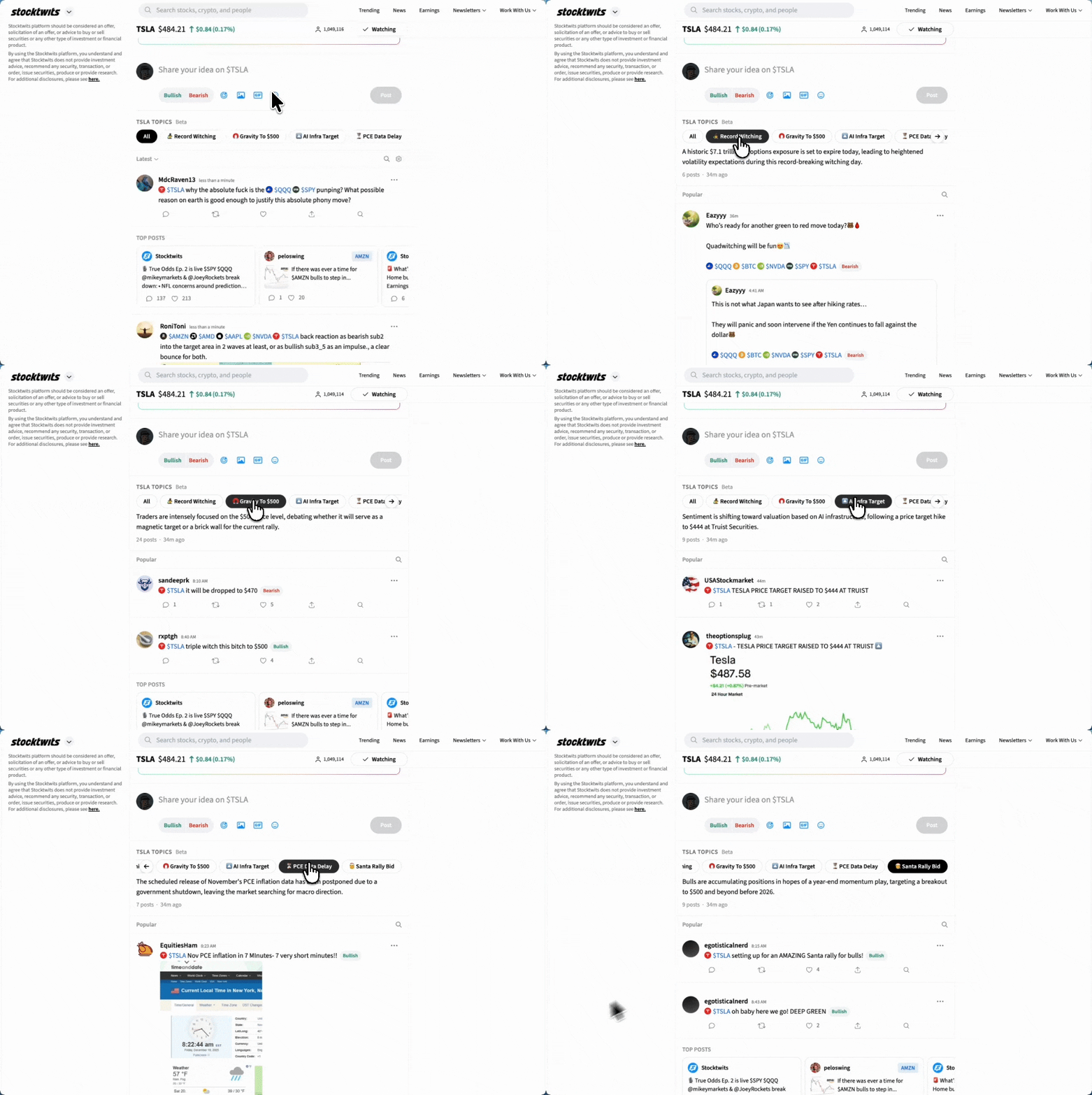
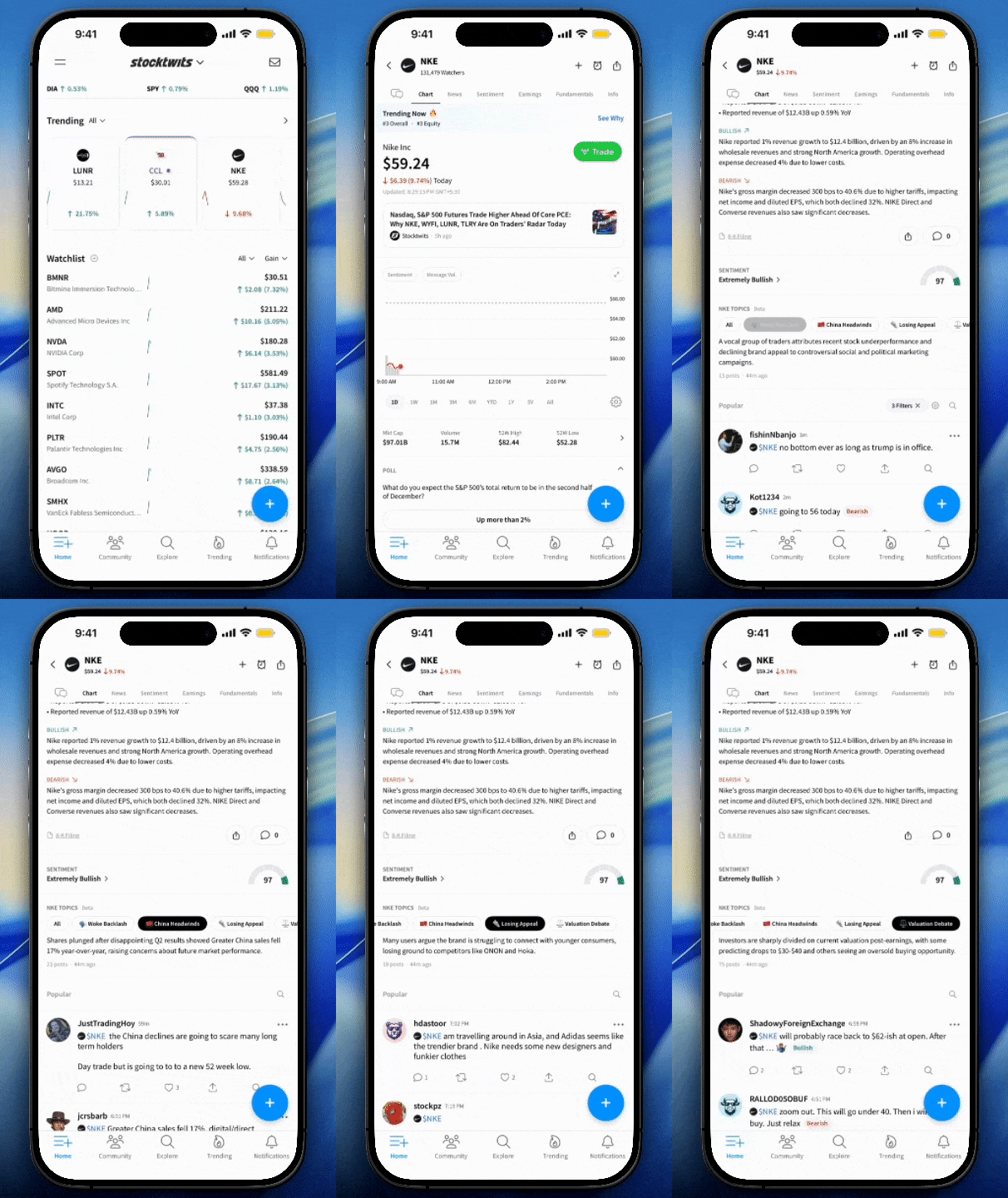
Stream Topics highlight the main discussion themes traders are talking about in active streams.
They help you quickly understand what the conversation is about and jump straight to the posts that matter to you.
Stream Topics are currently available on Trending and Most Active tickers.
Why Stream Topics exist
When a stock or crypto is active, multiple conversations often happen at the same time — valuation, earnings, macro news, technical levels, and more.
Without Stream Topics, you’d need to scroll through dozens of posts to find the discussion you care about.
Stream Topics make this faster by:
Surfacing the main debates in the stream
Letting you filter posts by topic with one click
Reducing noise when markets move quickly
How Stream Topics work
Open a Trending or Most Active ticker
You’ll see a row of topics at the top of the stream
Each topic represents a common theme traders are discussing
Tap or click a topic to filter the stream to posts related to that discussion
Switch topics anytime to explore different parts of the conversation
Topics update as new posts are added and conversations evolve.
What happens when you click a topic?
When you select a topic:
The stream reloads to show posts focused on that topic
You’ll only see messages related to that discussion
You can like, reply, repost, or share as usual
You can return to the full stream by selecting All.
Where Stream Topics are available
Trending tickers
Most Active tickers
Availability may expand as the feature evolves.
What Stream Topics are and aren’t
Stream Topics are:
A navigation and filtering tool
Based on live community discussion
Designed to help you find relevant conversations faster
Stream Topics are not:
Investment advice
Predictions or price targets
Editorial opinions from Stocktwits
Topics reflect what traders are talking about — not what you should think or do.
Why is this feature labeled Beta?
Stream Topics are in Beta as we continue to:
Improve topic accuracy
Refine topic names
Learn how traders use topic-based filtering
You may see topics change or update as conversations shift.
Tips for getting the most out of Stream Topics
Use topics when joining a ticker late — they help you catch up fast
Switch between topics to compare different viewpoints
Combine topics with existing filters (Latest, Popular, Bullish/Bearish) for deeper focus
Feedback
We’re actively improving Stream Topics.
If you have feedback on topic accuracy or usefulness, share it with us through the community or support channels.