
Features
Stream Filters
Stream Filters help you tailor any ticker stream to your needs. How to Apply Filters Tap the ⚙️ Settings icon on any symbol page Adjust by: Post type (e.g., cha
Updated 1 min read
Features
- Claim Your Token: Verification for Crypto Projects on Stocktwits
- Advanced Search
- Private Market Symbol Pages
- Feed: Trending
- Sentiment Index
- Sentiment
- Accepted Video Formats on Stocktwits
- Most Active
- How to Switch Between Stocktwits and Cryptotwits
- Earnings Reminders — Help & FAQ
- Stream Topics
- My Posts
- Embed Stocktwits Widgets - Live Market Data for Your Site or App
- Feed: Following
- Web Notifications
- Most Bullish and Most Bearish Lists
- Using Your Watchlist on Stocktwits
- Feed: Watchlist
- Earnings
- CME Futures Data on Stocktwits
- Subscribe to Notifications
- Why It’s Trending
- Most New Watchers
- Filters (Watchlist + Trending)
- Stream Filters
- News
- Managing Your Profile on Stocktwits
- How to create and use polls on Stocktwits
- Feed: Suggested
- AI Earnings Summary
- Trending Bar
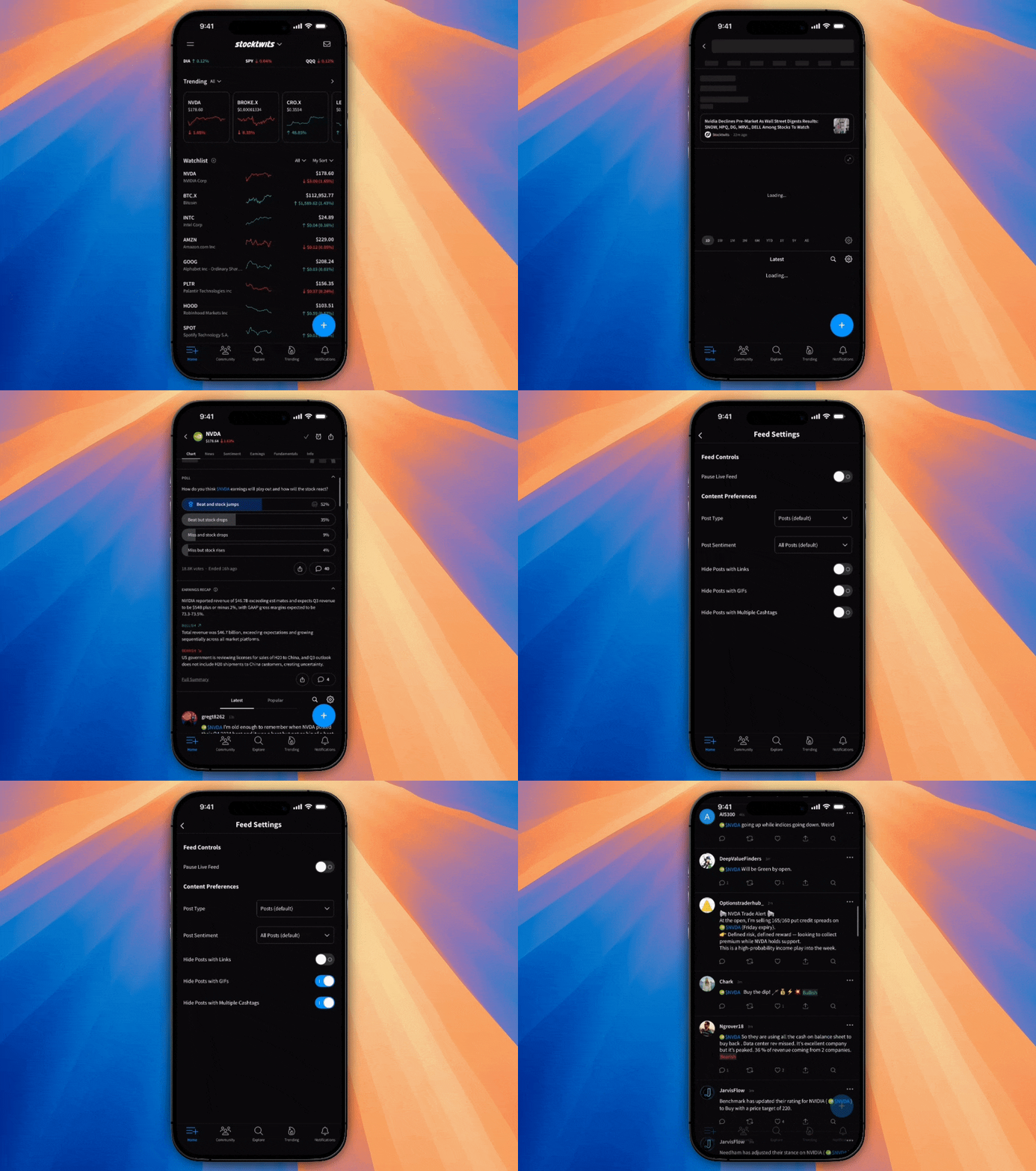
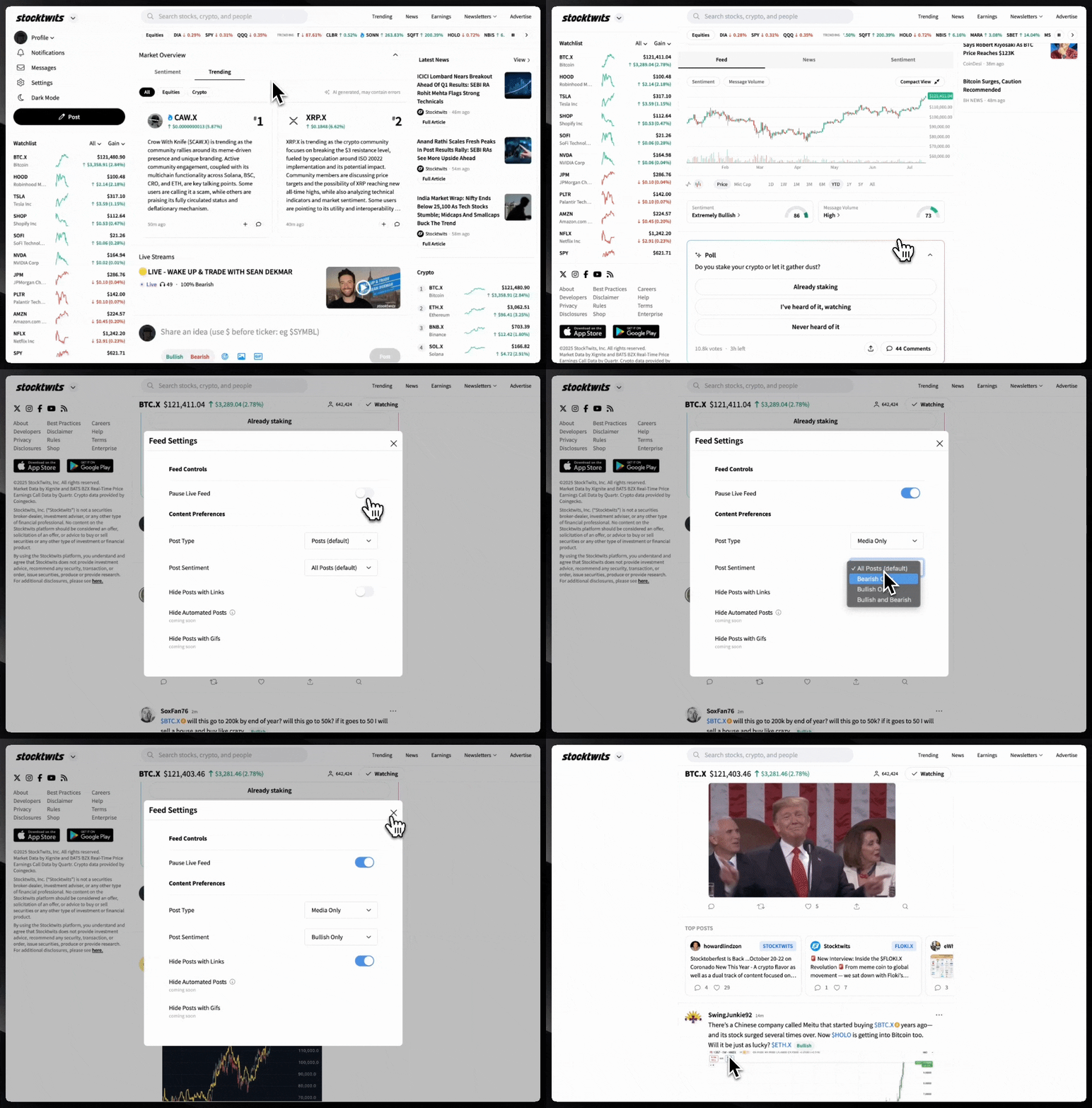
Stream Filters help you tailor any ticker stream to your needs.
How to Apply Filters
Tap the ⚙️ Settings icon on any symbol page
Adjust by:
Post type (e.g., charts only)
Sentiment
Media
Filter posts with links
Enhanced Stream Filters:
Hide GIFs that distract from real conversation
Filter out posts with multiple cashtags so you only see focused discussions
How to Access It
Go to any symbol page
Scroll down to the feed
Tap the settings gear ⚙️
Set up your stream filters
Why It Matters
Cut through noise
Focus on the types of posts you value
Build a cleaner, high-signal feed
Was this helpful?