Why It’s Trending
Why It’s Trending provides concise, AI-generated, real-time summaries that explain why a stock or crypto is trending on Stocktwits. It highlights key market-mov
Features
- Claim Your Token: Verification for Crypto Projects on Stocktwits
- Advanced Search
- Private Market Symbol Pages
- Feed: Trending
- Sentiment Index
- Sentiment
- Accepted Video Formats on Stocktwits
- Most Active
- How to Switch Between Stocktwits and Cryptotwits
- Earnings Reminders — Help & FAQ
- Stream Topics
- My Posts
- Embed Stocktwits Widgets - Live Market Data for Your Site or App
- Feed: Following
- Web Notifications
- Most Bullish and Most Bearish Lists
- Using Your Watchlist on Stocktwits
- Feed: Watchlist
- Earnings
- CME Futures Data on Stocktwits
- Subscribe to Notifications
- Why It’s Trending
- Most New Watchers
- Filters (Watchlist + Trending)
- Stream Filters
- News
- Managing Your Profile on Stocktwits
- How to create and use polls on Stocktwits
- Feed: Suggested
- AI Earnings Summary
- Trending Bar
On this page
Why It’s Trending provides concise, AI-generated, real-time summaries that explain why a stock or crypto is trending on Stocktwits. It highlights key market-moving events and retail sentiment to empower confident investment and trading decisions.
Real-Time Insights: Get up-to-the-minute summaries powered by Stocktwits’ proprietary data, stream messages, and retail sentiment
Simple & Clear: No jargon, no fluff—just concise explanations that save you time
Community-Powered: Instantly jump into relevant discussions and make informed posts
For Every Trader: Whether you’re new or experienced, you’ll instantly grasp why a stock or crypto is making moves
How to Access It?
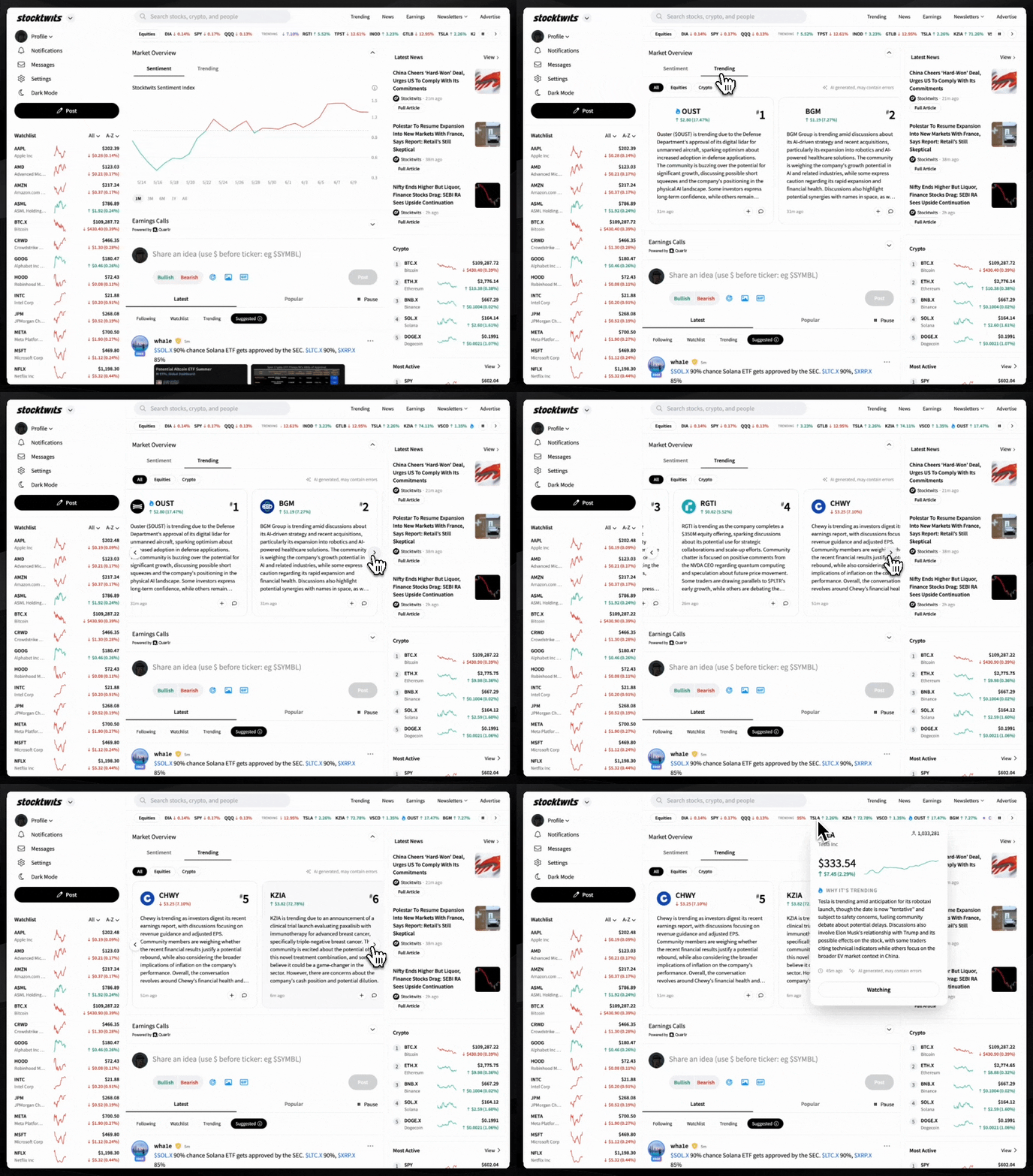
Use the newly added Trending Widget on the Stocktwits Homepage (under the Market Overview section on web)
Hover over any stock or crypto in the Trending Bar (web only)
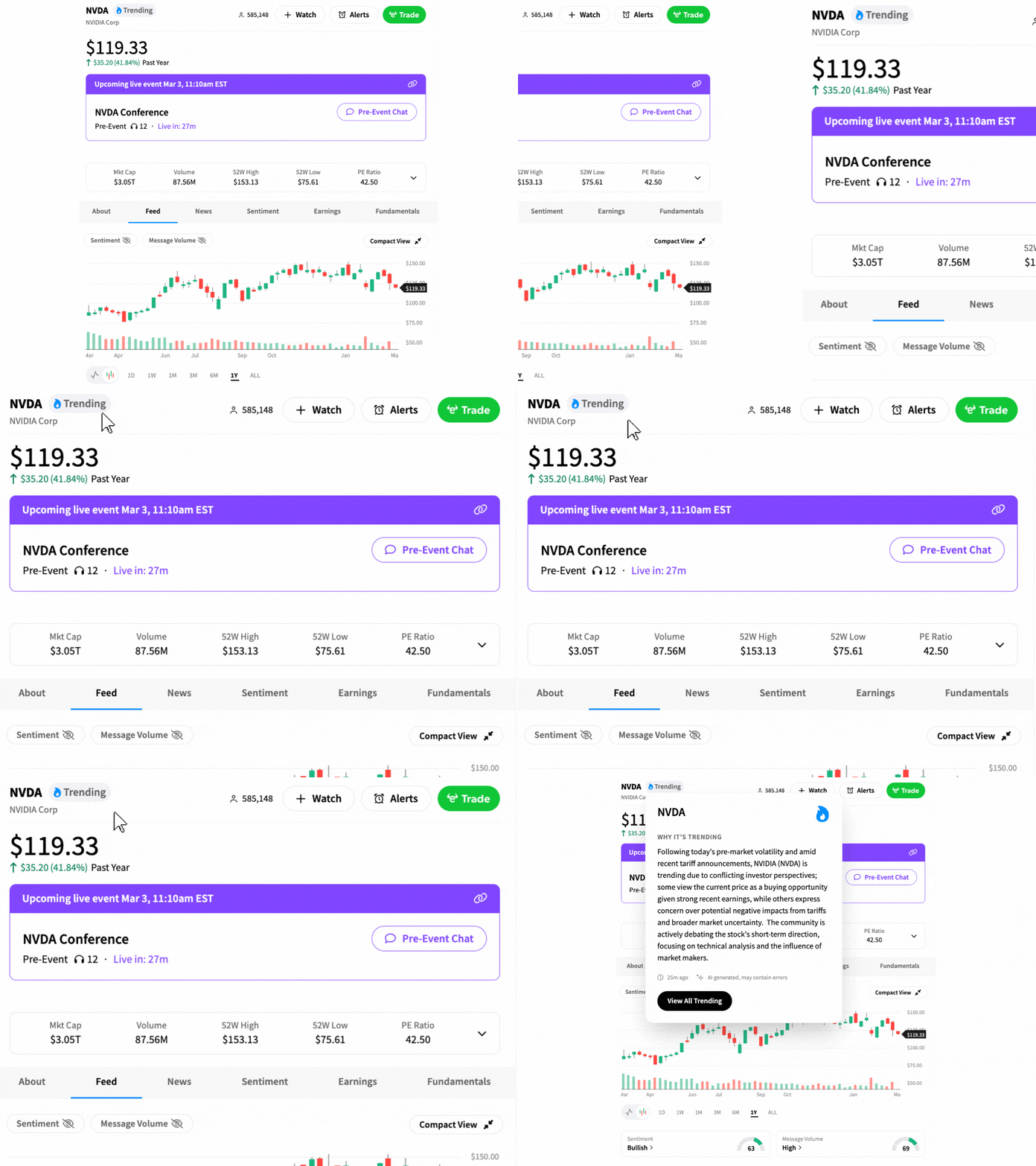
On any stock or crypto page, hover over the Trending Badge or Tap the Blue Fire Icon (on apps) next to the symbol name
P.S. You’ll receive instant notifications when any stock or crypto in your Stocktwits watchlist is trending. Make sure you turn on notifications and keep your watchlist up to date.