
Understanding Message Volume on Stocktwits
Learn how Message Volume tracks symbol activity on Stocktwits. Identify unusual spikes in discussion, spot retail trends, and monitor changes in market attention.
Articles
- My account was suspended. What should I do?
- Understanding Message Volume on Stocktwits
- Why can’t I view someone’s profile?
- How do I add a chart or image to the Stocktwits stream?
- Where can I see Stocktiwts' Privacy Policy and Terms of Use?
- I’m not receiving the password reset email.
- How do I stream messages in real-time?
- How to Change Your Email Address
- How do I follow someone on Stocktwits?
- I’m not receiving push notifications.
- Using Sentiment on Stocktwits
- What do the bullish and bearish buttons do?
- How do I post on Stocktwits?
- How do I delete a message?
- Understanding Watchers on Stocktwits
- How do I sort my watchlist?
- How do I reset my password?
- Why can't I post on Stocktwits?
- How do I unblock someone?
- How do I report a user?
- How do I delete my account?
- How do I filter my stream?
- How do I block someone?
- Why doesn’t Stocktwits support OTC stocks?
- How do I get a verified account?
What is Message Volume?
Message Volume measures how actively a symbol is being discussed on Stocktwits.
A sudden increase in discussion often signals that something important has happened, making Message Volume one of the quickest ways to identify symbols attracting new attention.
See It In Action
Case Study: BigBear.ai ($BBAI)
During $BBAI’s AI-driven rally, both Stocktwits Message Volume and Sentiment climbed to their highest levels of the year as retail enthusiasm accelerated.
Although the stock continued trading near its highs, Message Volume began to decline, suggesting that investor attention was beginning to cool even before price meaningfully changed.
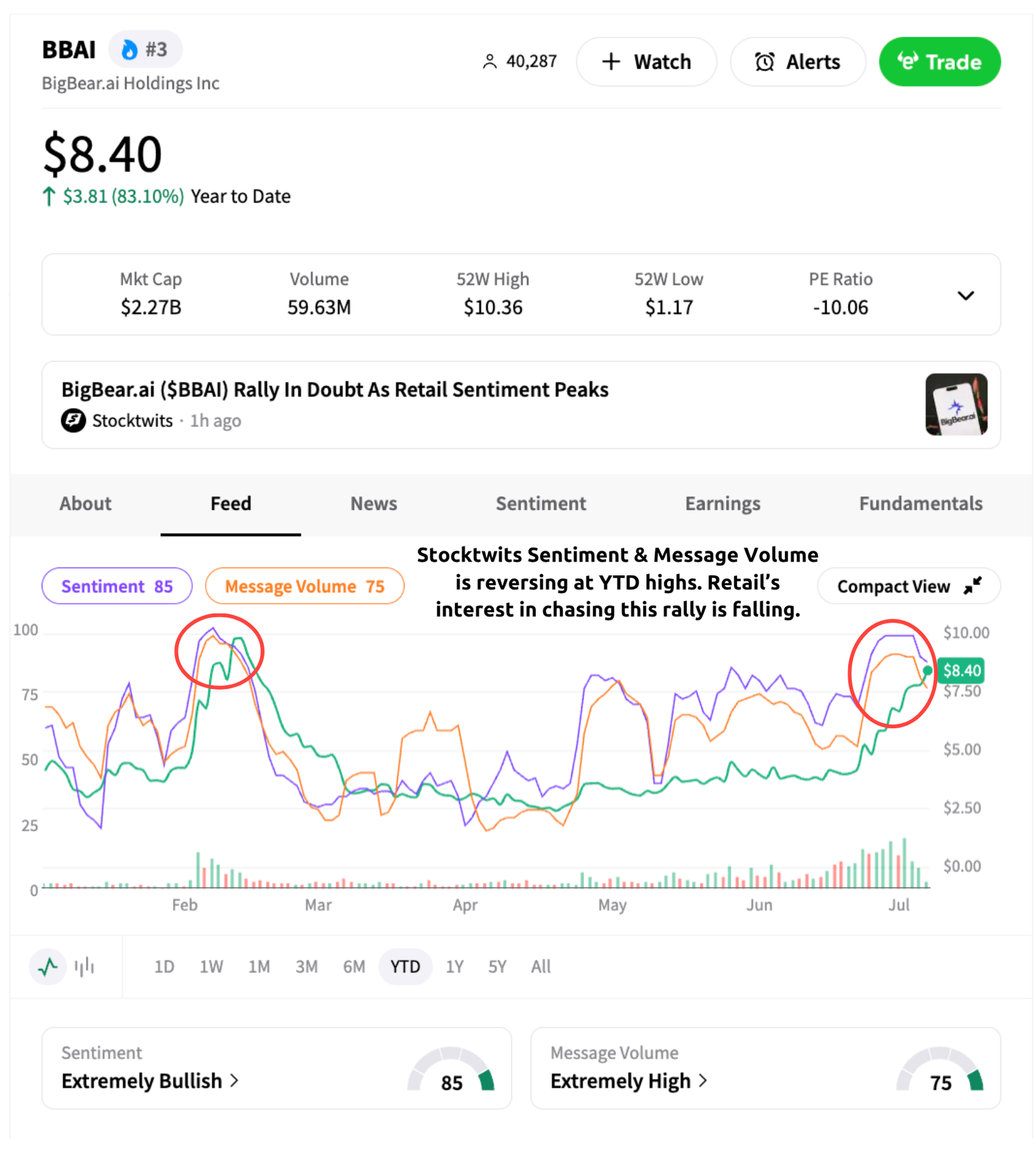
Message Volume doesn’t predict future price movement, but it helps identify when community attention is increasing, or beginning to fade.
Why Message Volume Matters
Discussion often accelerates before or immediately after major catalysts like earnings, product announcements, analyst ratings, or breaking news. Message Volume helps you identify those moments quickly.
Message Volume can help you:
Spot breaking news and market-moving events.
Identify unusual discussion activity.
Monitor changes in retail attention.
Compare today’s discussion against historical activity.
What Does Message Volume Measure?
Message Volume tracks the number of public messages posted about a symbol over time.
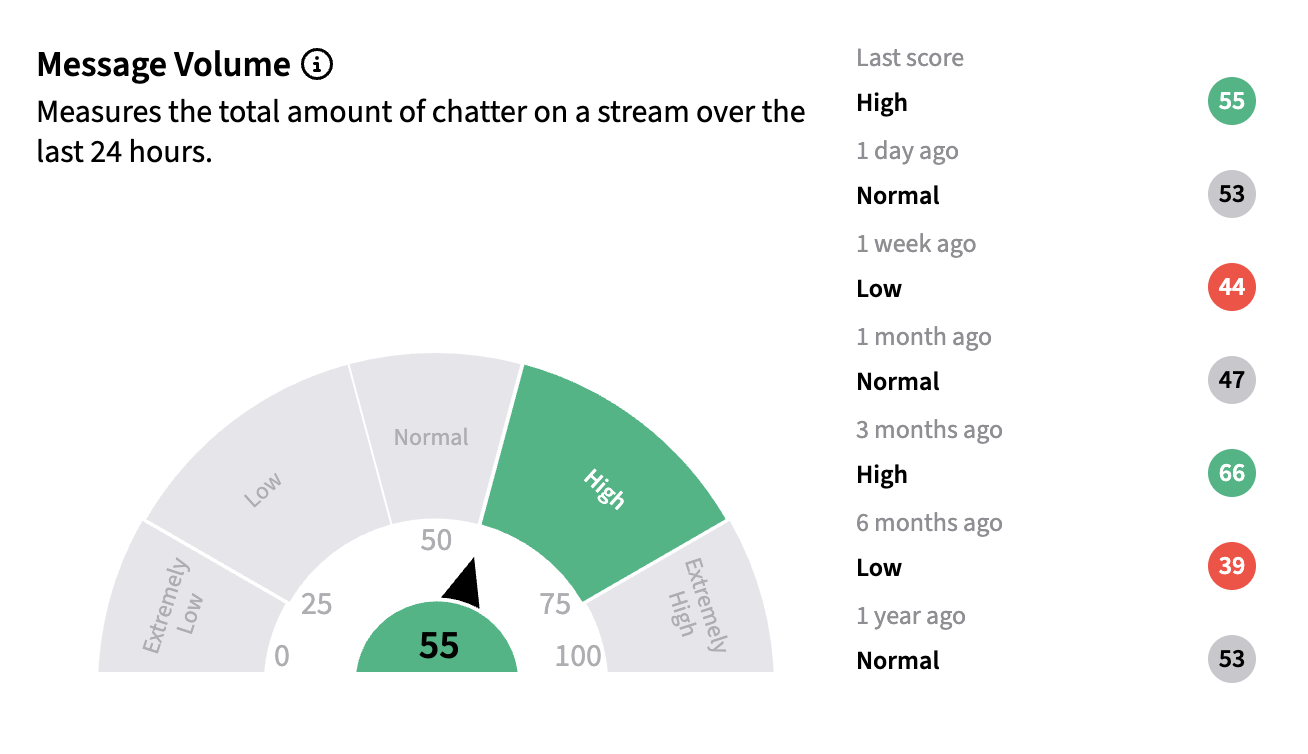
Historical Message Volume lets you compare today’s discussion activity with what’s normal for that symbol, making it easier to identify unusual spikes in retail attention.
Historical Message Volume helps distinguish between normal day-to-day discussion and meaningful surges in community attention, making it easier to spot symbols worth investigating further.
How Should I Use Message Volume?
Message Volume is most useful as an indication that something has changed.
When discussion activity suddenly increases, it’s often worth checking recent news, company announcements, or community conversations to understand what’s driving the move.
Like Sentiment, Message Volume works best alongside price action and your own research.
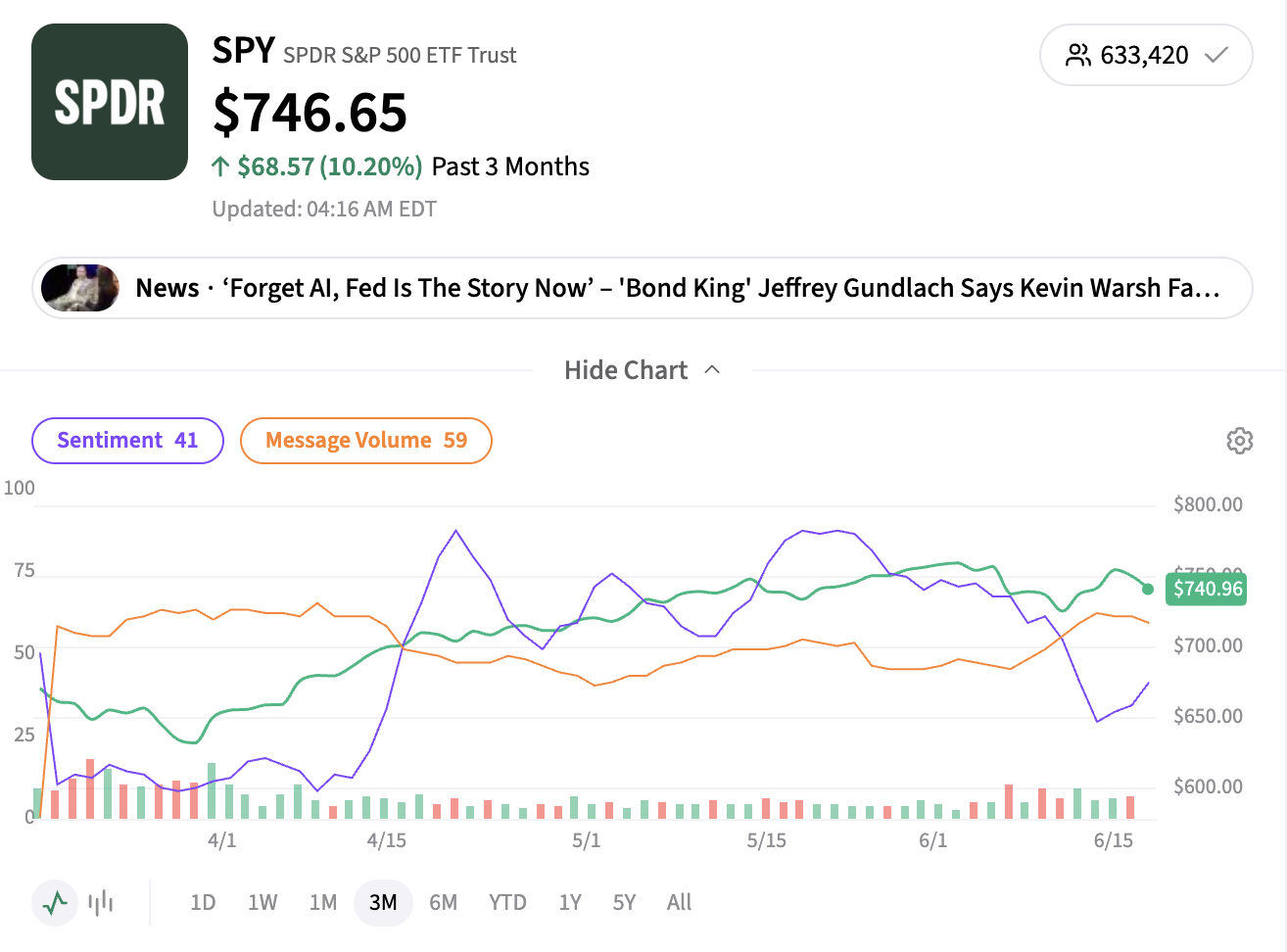
Looking beyond today’s Message Volume can provide additional context around how discussion changes before, during, and after major market events.
What’s Available at Each Access Level
Some Message Volume data is available to everyone, while more detailed views are part of Stocktwits’ registered and Edge subscriber experience.
Everyone (including signed-out visitors): Can see the latest Message Volume score on supported symbol pages.
Registered users: Can see the latest Message Volume score, the previous day’s Message Volume score, and access the Message Volume chart overlay on the 1-day chart timeframe.
Edge subscribers: Get full access to historical Message Volume data and the Message Volume chart overlay across all chart timeframes, in addition to everything available to registered users.
If you come across a locked or gated Message Volume feature, signing up for a free account or upgrading to Edge will unlock it.
Have a question that wasn't answered here? Contact Stocktwits Support.