
Articles
How do I add a chart or image to the Stocktwits stream?
To post a chart or image on Stocktwits, click the image icon on the right of the message box. This will then ask you to select an image to upload. Don’t forget,
Updated 1 min read
Articles
- Understanding Message Volume on Stocktwits
- How do I filter my stream?
- How do I get a verified account?
- How to Change Your Email Address
- Using Sentiment on Stocktwits
- Why can’t I view someone’s profile?
- How do I unblock someone?
- How do I follow someone on Stocktwits?
- What do the bullish and bearish buttons do?
- How do I delete a message?
- How do I report a user?
- Why can't I post on Stocktwits?
- How do I reset my password?
- I’m not receiving the password reset email.
- Understanding Watchers on Stocktwits
- How do I delete my account?
- How do I post on Stocktwits?
- How do I sort my watchlist?
- How do I block someone?
- My account was suspended. What should I do?
- How do I stream messages in real-time?
- I’m not receiving push notifications.
- How do I add a chart or image to the Stocktwits stream?
- Where can I see Stocktiwts' Privacy Policy and Terms of Use?
- Why doesn’t Stocktwits support OTC stocks?
To post a chart or image on Stocktwits, click the image icon on the right of the message box. This will then ask you to select an image to upload.
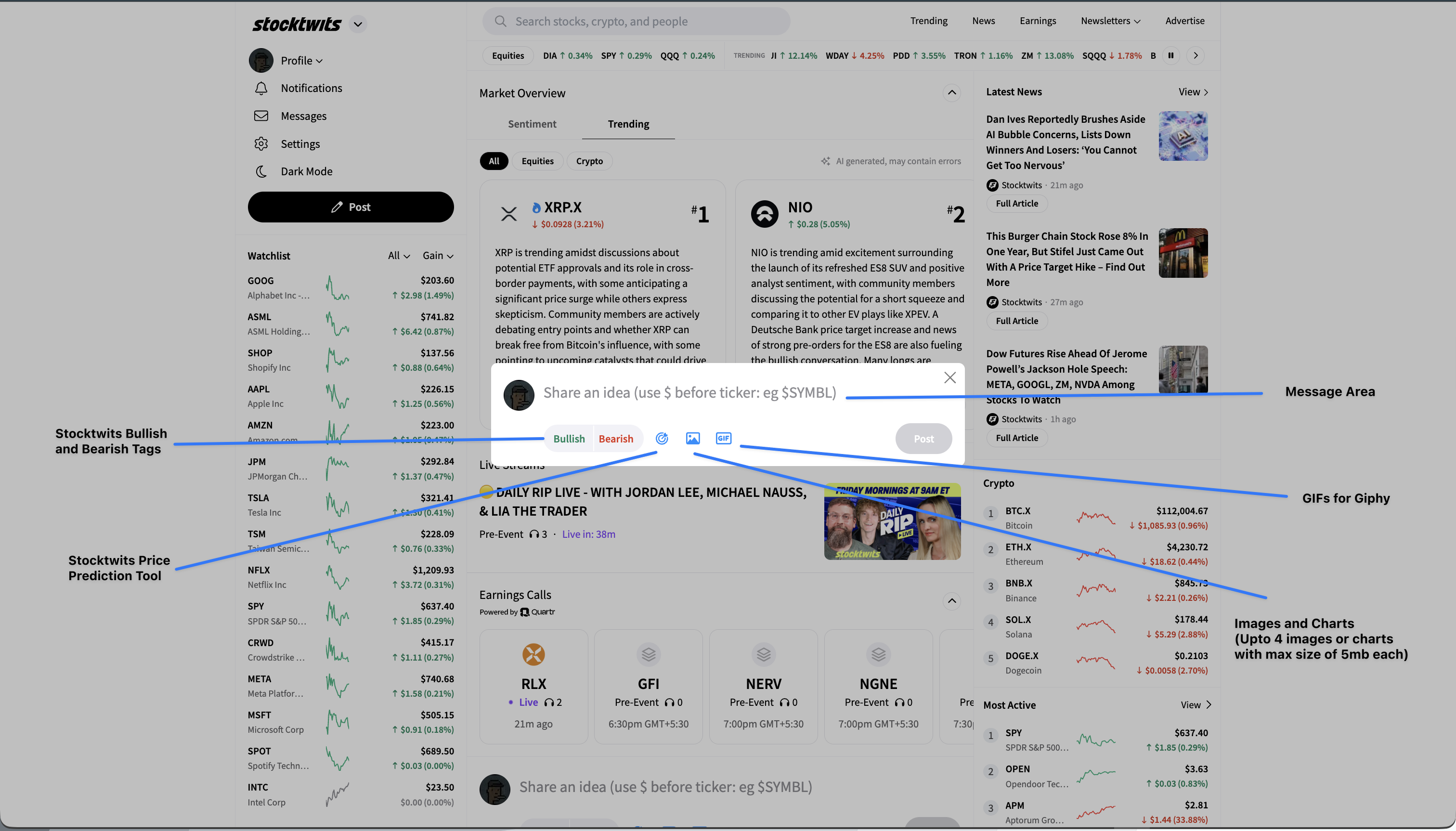
Don’t forget, you can still add a message describing your chart, and add a $Ticker to attach your chart to a particular stock stream.
Hit the “Post” button when you are ready to post your message.
You can upload upto 4 images or charts in each message.
Was this helpful?