
How to Add and Manage Your Watchlist
Your Watchlist helps you track the stocks, crypto, and ETFs you care about—giving you a personalized view of sentiment, price action, and community discussion.
Articles
On this page
Your Watchlist helps you track the stocks, crypto, and ETFs you care about—giving you a personalized view of sentiment, price action, and community discussion.
Adding a Ticker to Your Watchlist
There are two main ways to add tickers:
1. From any symbol page
Visit a symbol (e.g., $TSLA or $ETH)
Click “+ Watch” on desktop or tap the “+” icon on mobile
The symbol will be added to your Watchlist
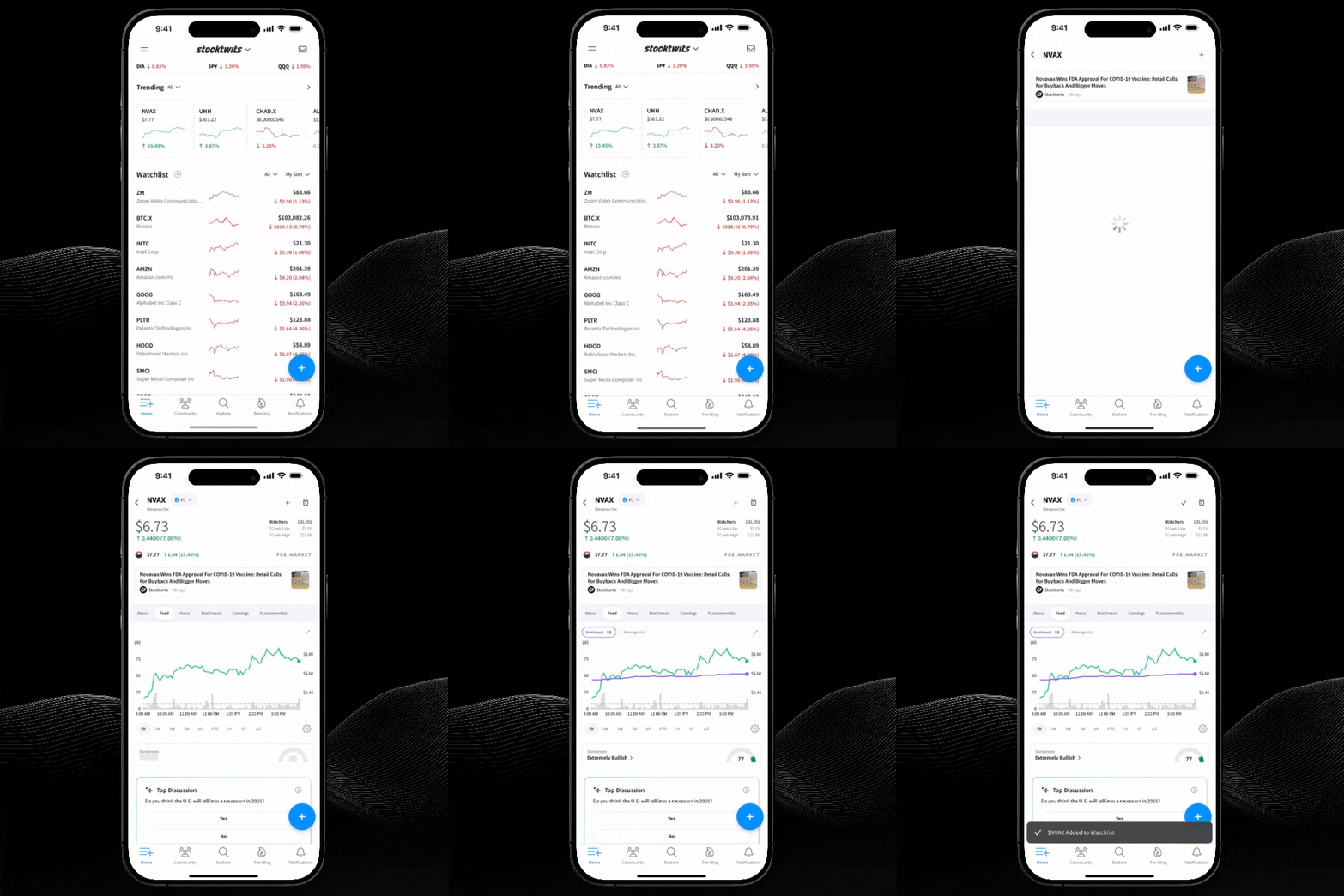
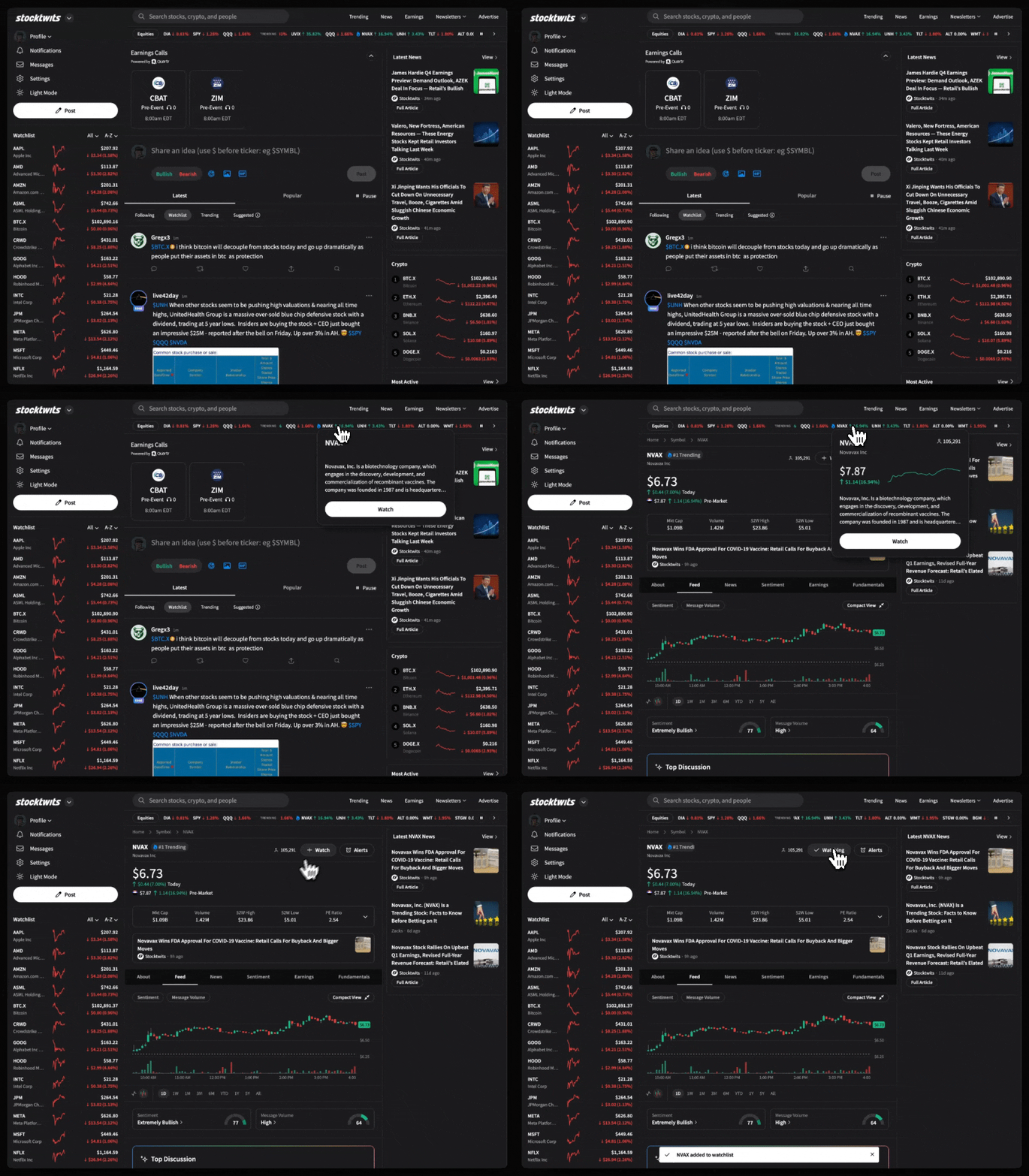
2. From the Watchlist editor
Go to your Watchlist
Tap Edit → Use the search bar to find any stock, crypto, or ETF
Select the symbol to add it
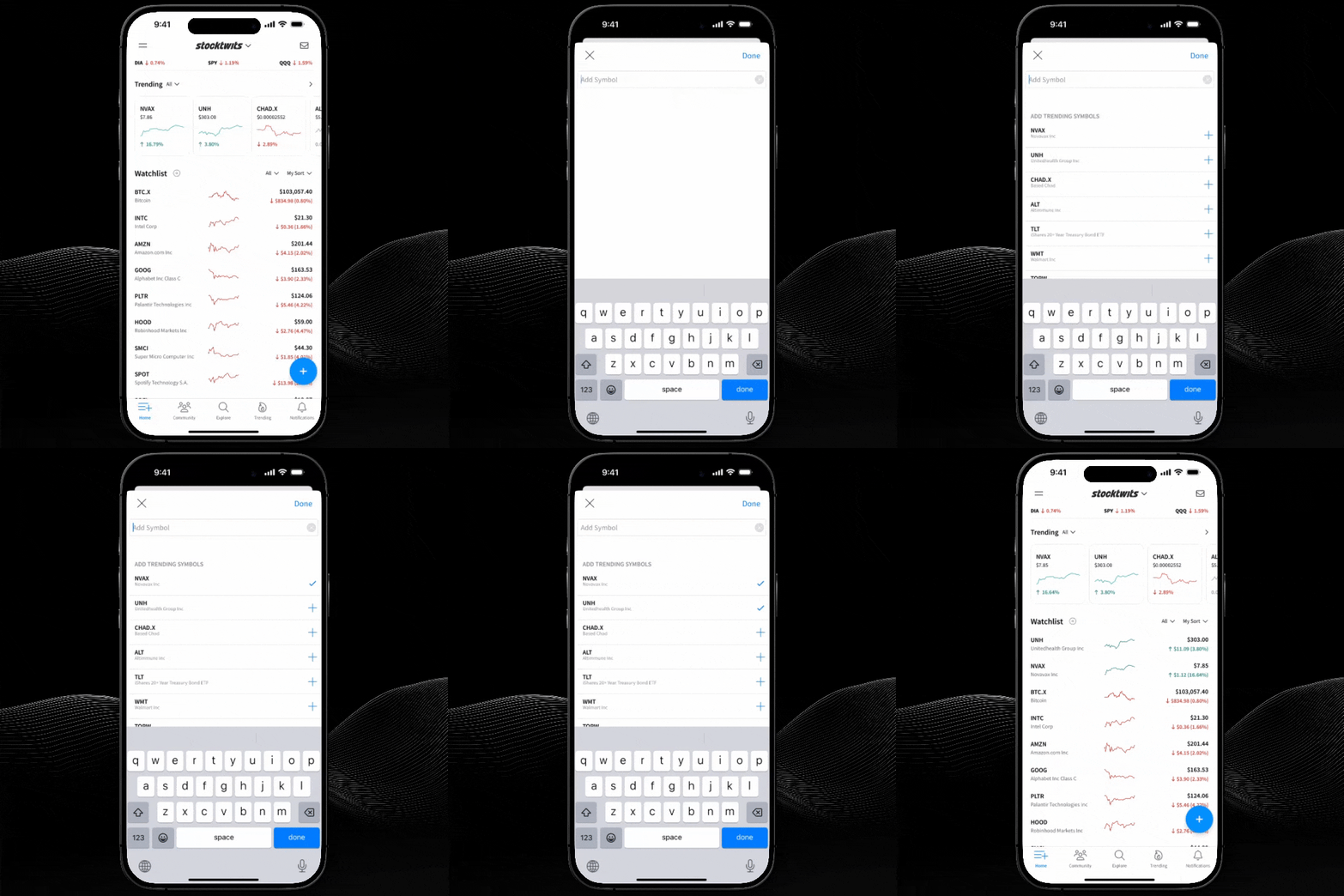
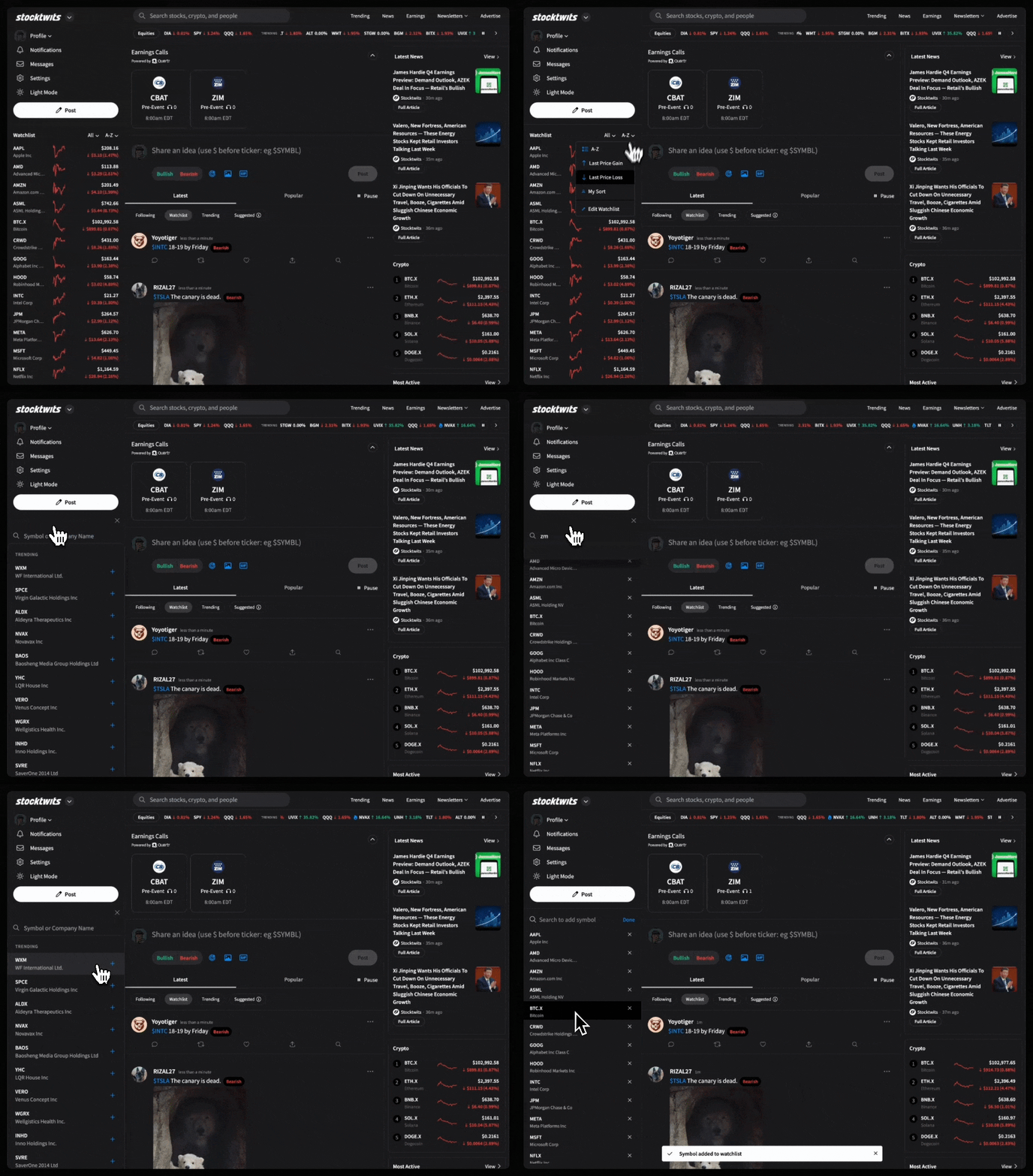
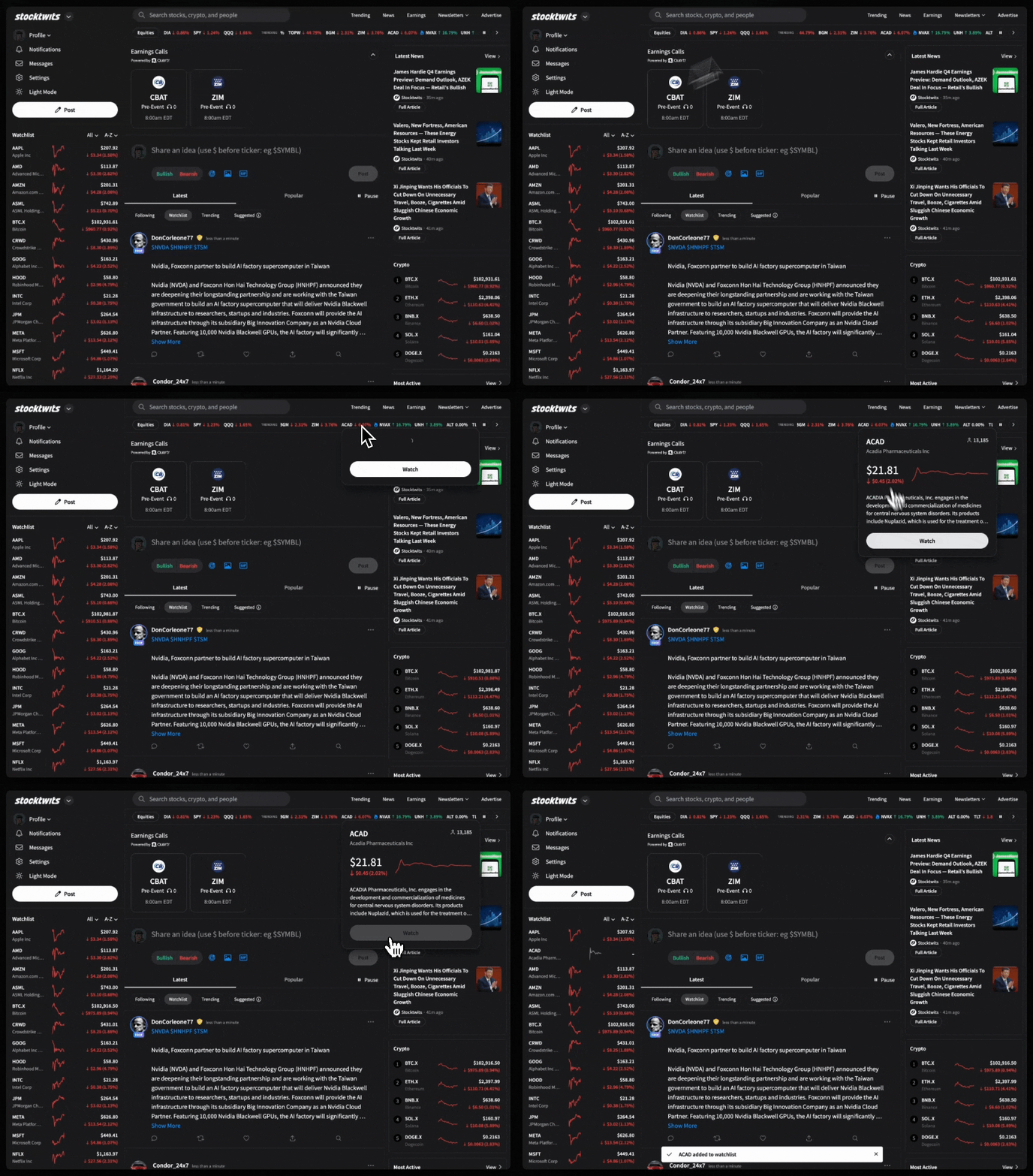
You can also add tickers from the places below while browsing the platform on Desktop:
Trending Bar: Click on any trending ticker, then tap “+ Watch”
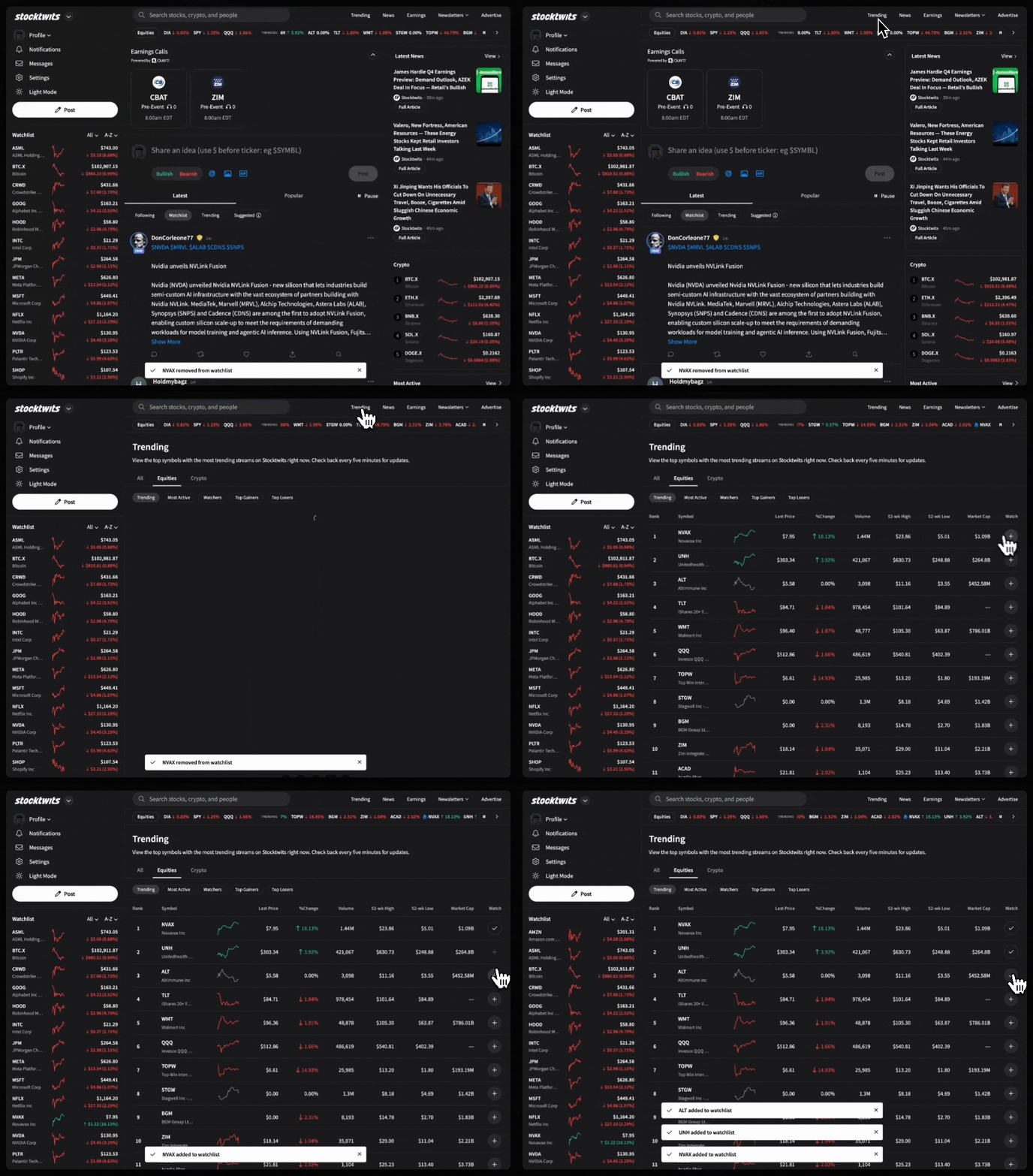
Market Lists Page: From curated lists like “Most Active” or “Top Bullish,” click or tap the watch icon next to a symbol.
Tip: Adding a ticker to your Watchlist not only tracks price, it also powers real-time alerts, earnings notifications, and personalized stream filtering.